
Event sources
A source produces events that rules can match.
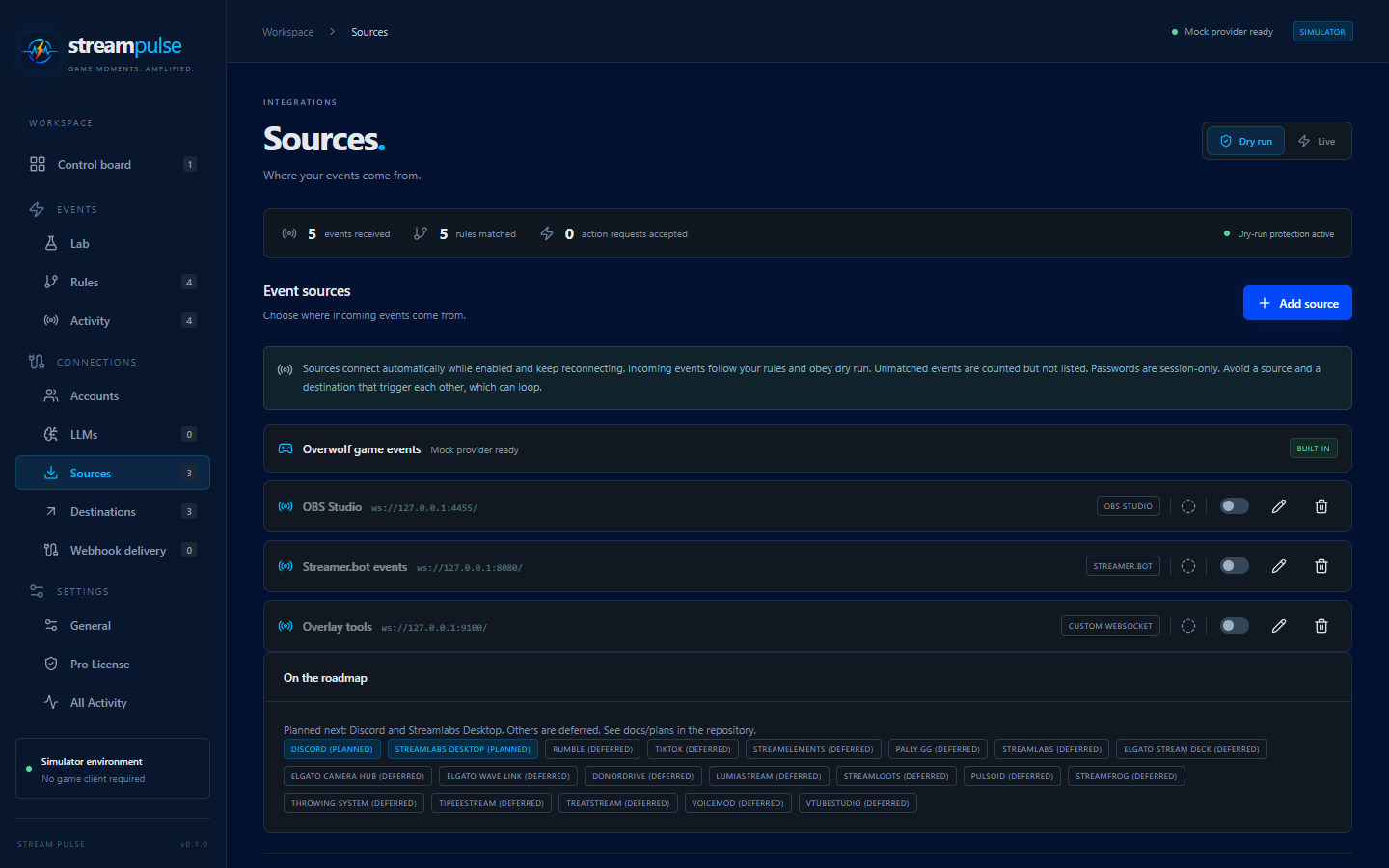
- Built in: Overwolf games (live in the Overwolf app) and the Event Lab (mock events).
- Configurable under Connections > Sources: Streamer.bot, OBS Studio, Custom WebSocket, Custom REST, Twitch, YouTube, Kick and Smee (unverified webhooks).
How sources behave
- Enabled sources connect automatically and reconnect with backoff, up to 30 seconds between attempts. Fatal errors, such as a wrong OBS password, stop retrying and show the reason on the source card.
- Events from a source appear in Events > Rules under a game named for the source type, for example “OBS”. Rules can match any event name, including ones not suggested in the picker.
- Every event carries the
sourceIdof the source that produced it. - Sources obey rules and the Dry run / Live switch like game events.
- Each source is rate limited to 100 events per second.
- Events that match no rule are counted but not listed in Events > Activity, because sources such as OBS and Streamer.bot are chatty.
A Streamer.bot source and a Streamer.bot destination can trigger each other in a loop. Use rule cooldowns, and see Forwarding events for the built-in loop guard.
Secrets
Passwords are session-only and must be re-entered after a restart. REST ingest tokens, the Twitch and YouTube sign-ins and the YouTube client secret are stored locally but never exported. See Storage and privacy. Kick sign-ins and its client secret stay on the local companion, not in browser storage.
Planned sources
Discord, Streamlabs Desktop, GitHub, GitLab, MQTT and Home Assistant are planned. Shared Twitch, YouTube and Kick accounts are available now; other account providers remain planned.